
Agent Marketplace
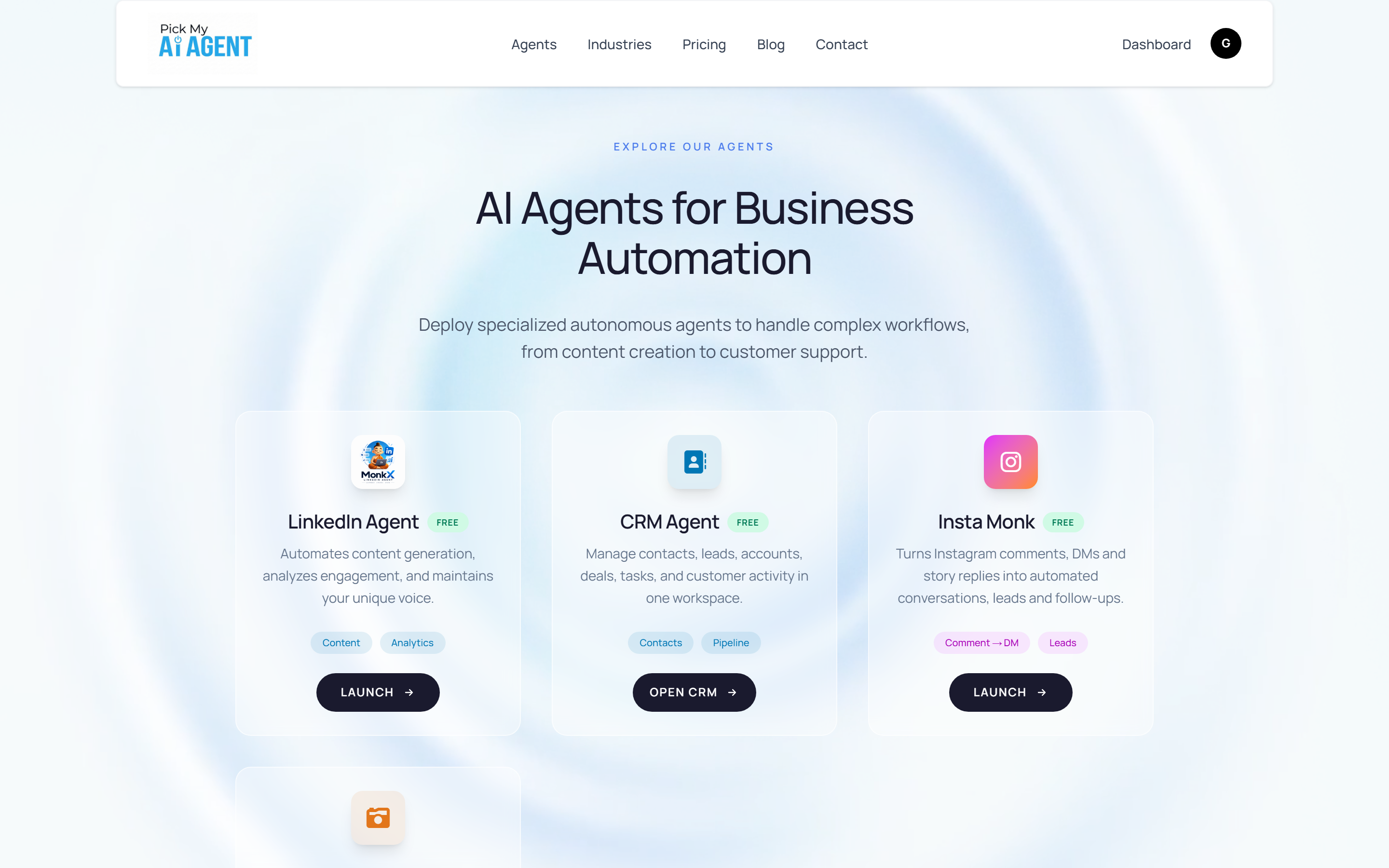
The Agent Marketplace at /agents is where you browse and launch all available AI agents. Each agent is purpose-built for a specific business workflow. Navigate there from the Dashboard by clicking My Agents in the top navigation.
Agents currently available
LinkedIn Agent — MonkX
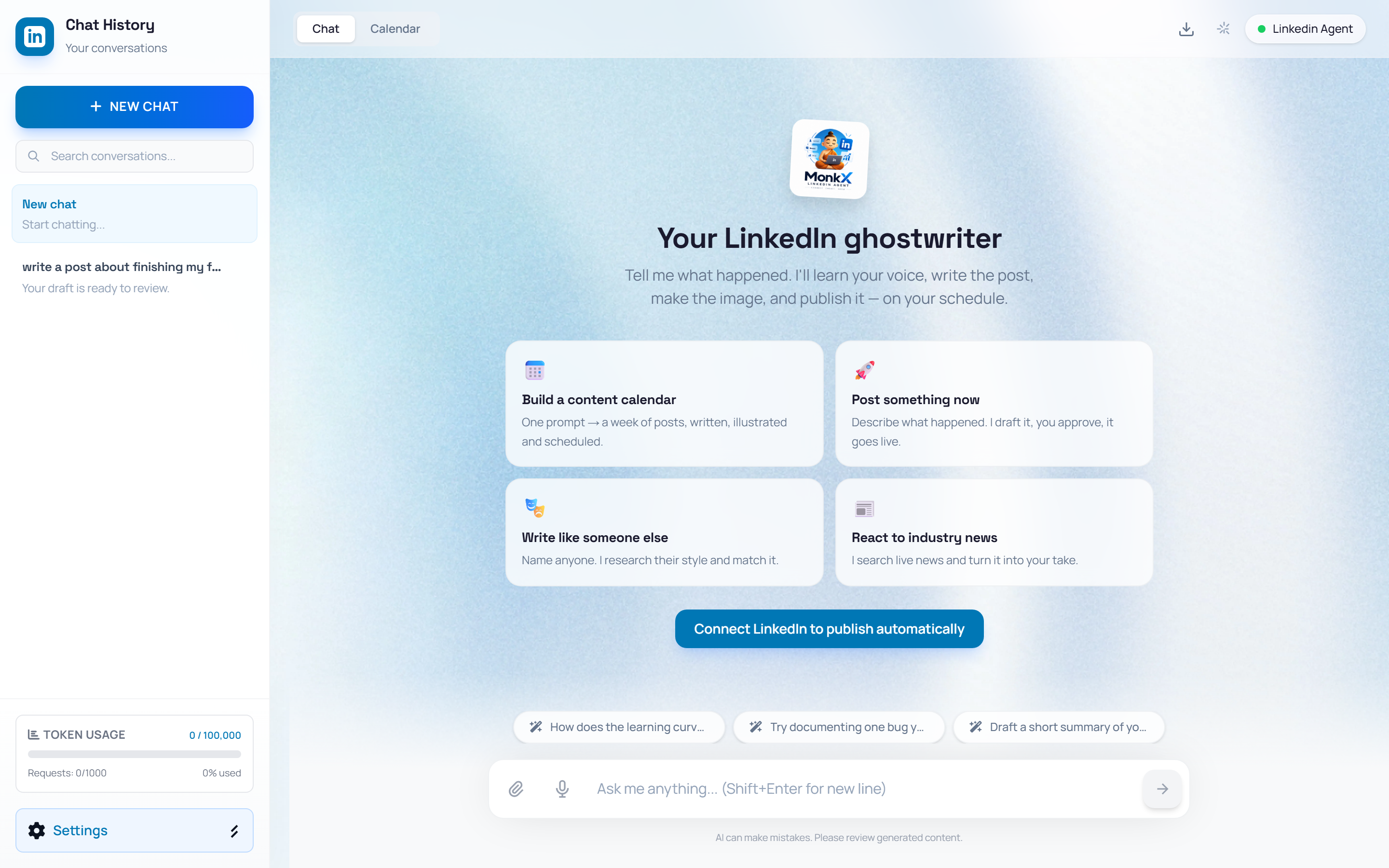
Your LinkedIn ghostwriter. Writes posts in your voice, generates images, and publishes or schedules content. Tags: Content · Analytics. Click LAUNCH to open.
CRM Agent
Manage contacts, leads, accounts, deals, tasks, and customer activity in one workspace. Tags: Contacts · Pipeline. Click OPEN CRM to open.
Insta Monk
Turns Instagram comments, DMs, and story replies into automated conversations, leads, and follow-ups. Tags: Comment→DM · Leads. Click LAUNCH to open.
STEP 1
Open the Marketplace
👉 From anywhere, click "Agents" in the public nav — or "My Agents" from your Dashboard. The marketplace opens at /agents with a card for every available agent.
STEP 2
Pick an agent card
👉 Each card shows the agent avatar, name, a FREE badge, a one-line description, feature tags, and a dark action button — LAUNCH for chat-style agents or OPEN CRM for the CRM workspace.
STEP 3
Click Launch
👉 On the LinkedIn Agent card, click LAUNCH. It navigates you directly to the MonkX chat studio at /linkedin_agent — Chat tab, prompt cards, and your conversation sidebar.
NoteThe CRM Agent is available from the Dashboard Your Agents section. Launch it to manage leads and pipeline.
⚡ WORKFLOW SUMMARY
1OPEN DASHBOARD
➔2CLICK MY AGENTS
➔3FIND AGENT CARD
➔4CLICK LAUNCH
✓COMPLETED