
Launch & Manage Agents
Learn how to launch active AI agents from your dashboard, manage their configurations, and monitor their status.
STEP 1
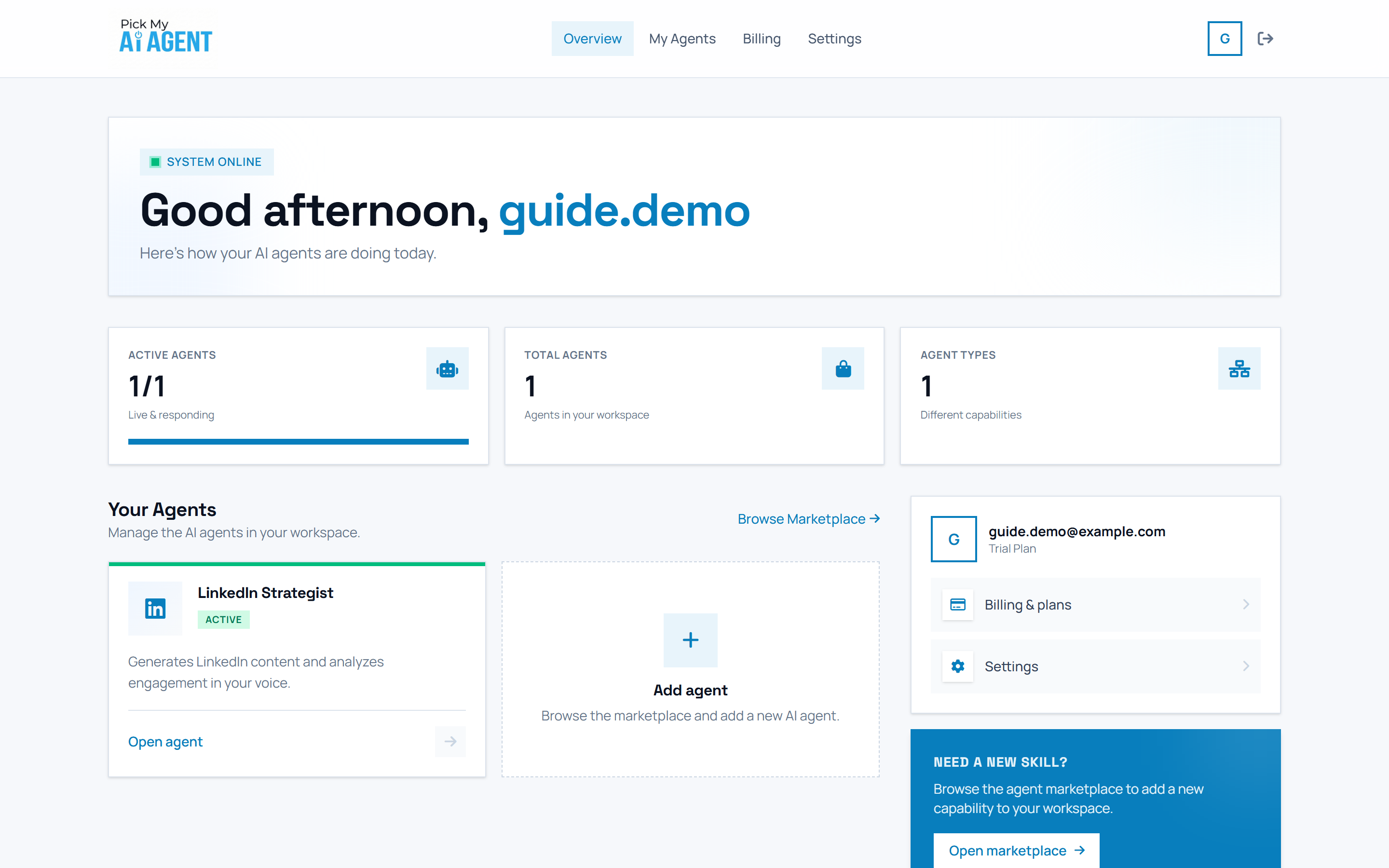
Find your agent in Your Agents
👉 Go to your Dashboard and scroll to the Your Agents section. Active agents show an ACTIVE badge; each card has an Open agent link and a dashed Add agent card sits beside them.
STEP 2
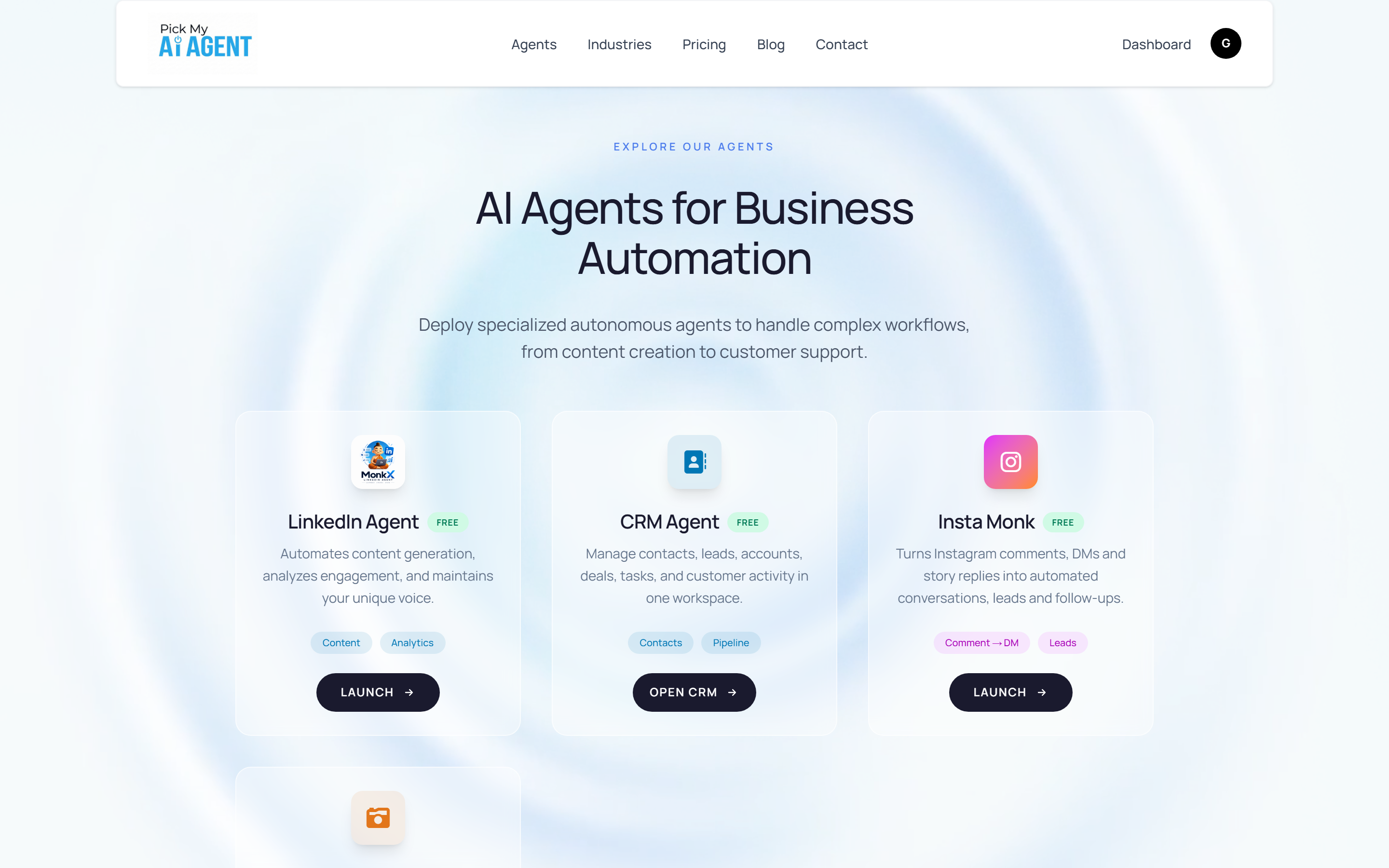
Launch from the marketplace
👉 Click Open agent on a card — or click My Agents in the top nav, then LAUNCH on the agent you want. Each agent opens its own specialized workspace (chat studio, CRM board, and so on).
STEP 3
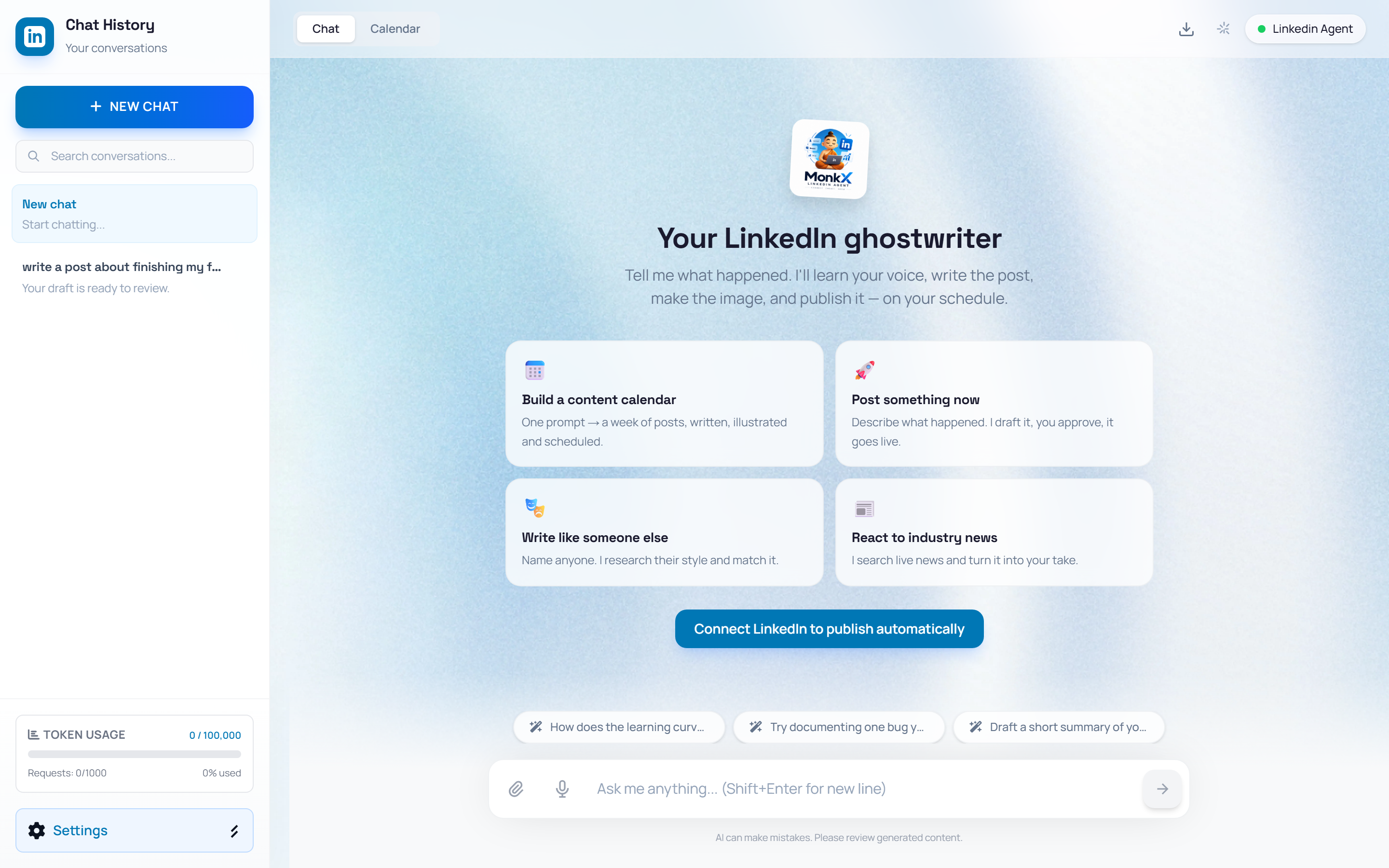
Start working in the agent workspace
👉 After launch you land in the agent's workspace. For MonkX that is the chat studio: prompt cards in the center, conversation history in the left sidebar, and the input bar at the bottom — type, dictate, or click a card to begin.
TipYou can keep multiple agents active simultaneously. Switch between LinkedIn MonkX and CRM Agent anytime from your main dashboard navigation.
⚡ WORKFLOW SUMMARY
1VIEW DASHBOARD
➔2LOCATE AGENT
➔3CLICK LAUNCH
➔4WORK IN THE AGENT
✓COMPLETED